
Creating a DPOAE Pass/Refer Test Protocol
This quick guide outlines the procedure for creating a pass/refer DPOAE test protocol. Parameters and settings should be based on an appropriate pass/refer criterion.
- Open the Titan Suite software and click on the DPOAE tab.
- Go to Menu | Setup | Protocol setup.
- In the Protocol setup screen, click on New and type in the desired protocol name in the Selected protocol box.
- From the Available tests box, double click on DP-Gram. DP-Gram (Unconfigured) will now appear in the Selected tests box.
- Click on the Settings button below the Selected tests box.
- In the Frequency (f2) box, type in each of the required frequencies for testing. Press Add after each frequency. Alternatively, use the Add series option
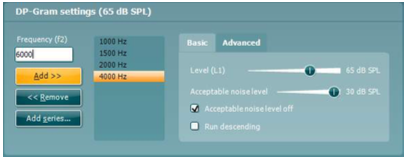
- The Basic and Advanced tabs offer options to change the L1-L2 levels, set the Acceptable noise level (level above which OAE recording will be rejected due to noise), the f2/f1 ratio and the level tolerance. Choose to measure at ambient or peak pressure.
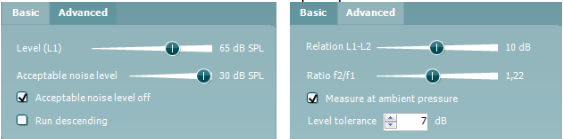
- Under the Common test settings - Stop criteria tab, select the following:
- Test time - select from a maximum test time (test runs in loops until time expires) or maximum point time (seconds tested per frequency test point).
- Include DP criteria as stop criteria - this box should remain checked to include the DP criteria as stop criteria.
- Enable Pass/refer - check this box and accept the disclaimer.
- Minimum number of points required for a pass - select the minimum number of test points required to label the result as a pass.
- Include residual noise as stop criterion - check this box to include the residual noise as a stop criterion.
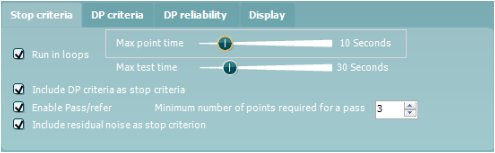
- Under DP criteria, the following can be set:
- Minimum DP level - the minimum level in dB SPL that the OAE must be measured at.
- SNR - the minimum signal-to-noise ratio that must be reached.
- DP tolerance - how stable the OAE must be over time.
- Residual noise - defines at which level the residual noise is considered to be so silent that a DPOAE would have been detected, if it were present.
- Required for a pass - specific frequencies that must be detected for a pass can be set.
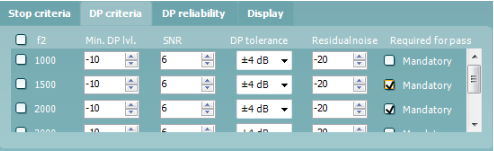
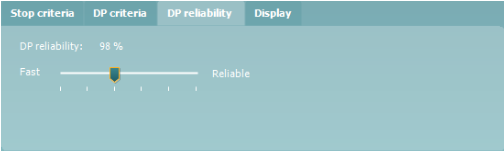
- Under DP reliability - set how reliable the DPOAE measurement must be. It is not recommended to set this below 98% as this will reduce the reliability of the measurement.
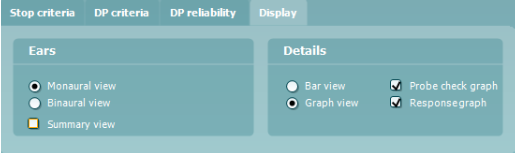
- Under Display, the following can be set:
- Ears - select whether to show one ear or both ears on screen. The summary view displays the test and point summary in table format.
- Details - select bar view (simple view) or graph view (advanced view of signal and noise).
When graph view is selected, choose to display the probe check and/or the response graph.
- Once all settings have been selected. Press OK to close the Protocol setup window.
- Press Apply and OK to save the protocol and return to the test screen.
Note: Screen-shots in this document are a guide only and are not recommended settings for a DPOAE pass/refer protocol. Refer to the Titan Additional Information document for a more detailed description of the various criteria.
Presenter