
How to Upgrade the Firmware
The following quick guide explains how to upgrade the firmware on the OtoRead™ device.
-
Unzip the provided firmware file (e.g., IA_ReflashTool_11202.zip)
-
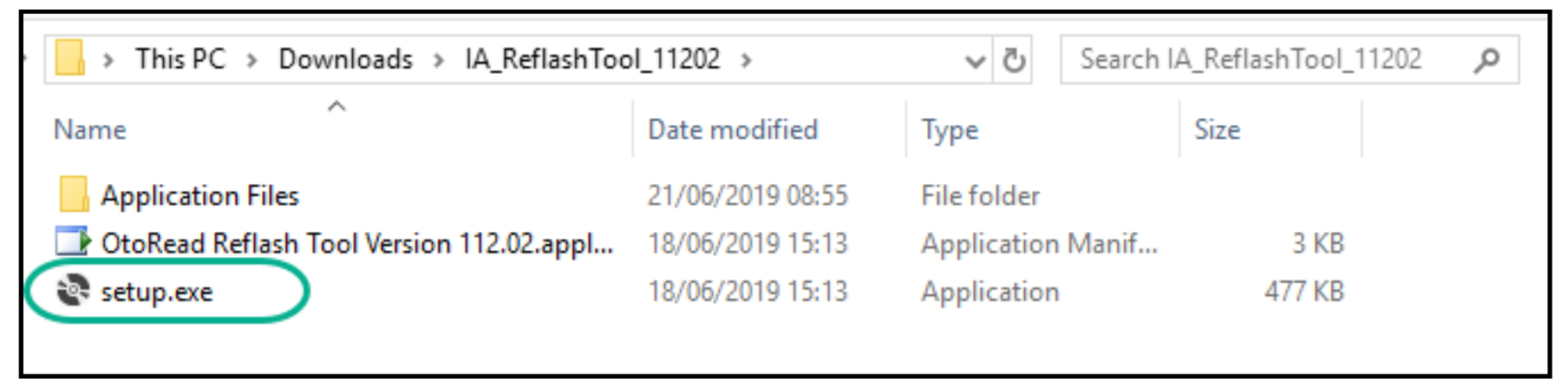
Open the unzipped folder and double click on setup.exe
-
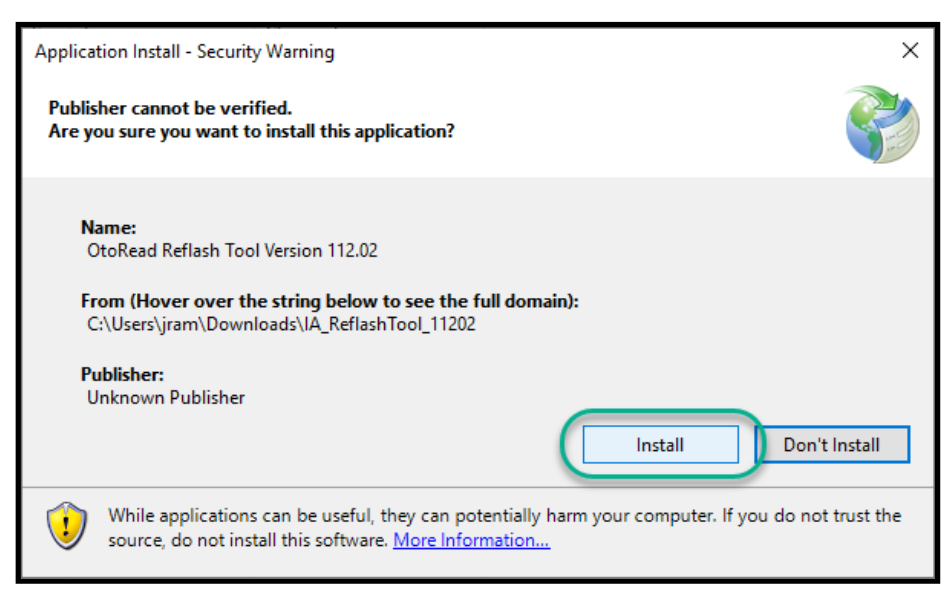
The application install window will appear. Click on Install
-
The firmware updater software is now installed and ready to use.
-
Turn on the OtoReadTM device and connect it to the PC with the provided USB cable.
-
Click on Reflash OtoRead Firmware
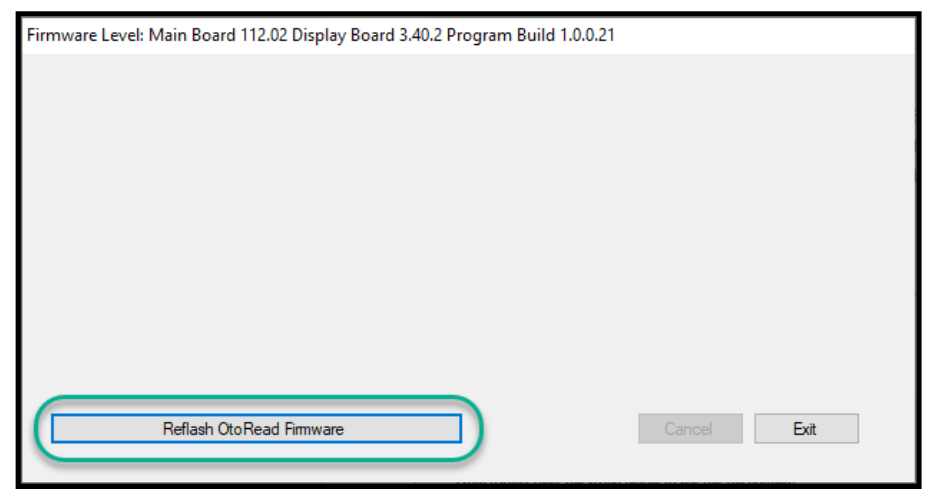
7. After a few seconds, the install window below appears. Click on OK.
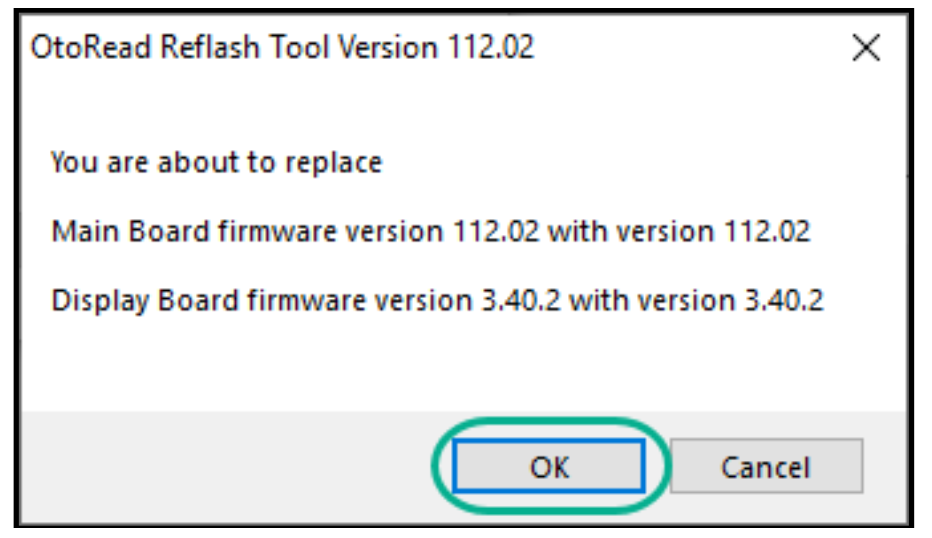
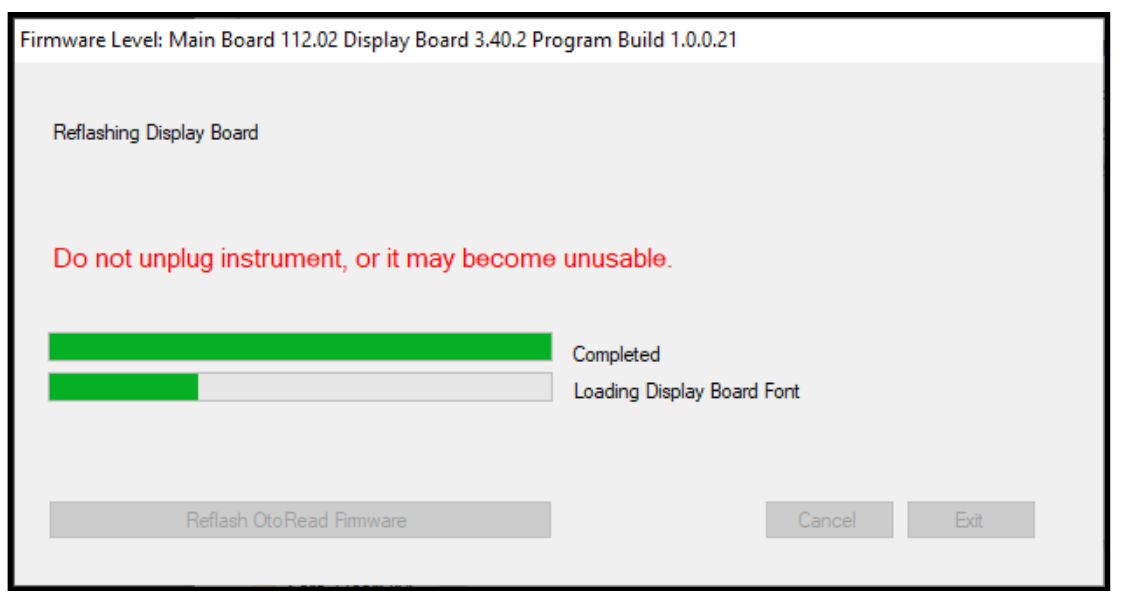
8. Do not unplug or turn off the OtoRead during firmware upgrade as this can cause the device to become unstable. Green bars will indicate the progress of the installation. The OtoReadTM device amber TEST LED will flash during update and the screen will indicate that the firmware is being written to the device.
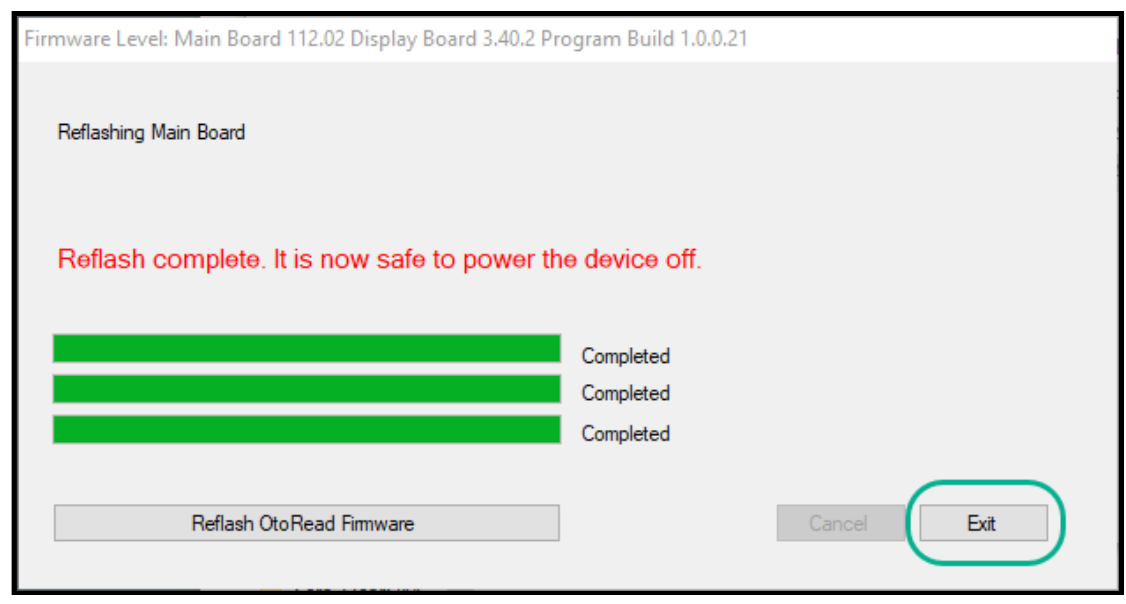
9. When the installation is complete, exit the application. Turn off the OtoReadTM device to complete the installation process.
Presenter