
How to perform IA-AMTAS with Equinox Evo

By Interacoustics

The purpose of this document is to provide a quick guide for the IA-AMTAS, automated audiometry feature found in the AC440 audiometry module in the Equinox Suite.

This quick guide will focus on how to use this function. Further information regarding IA-AMTAS and the configuration options for IA-AMTAS can be found in the Equinox Evo Additional Information document.

The IA-AMTAS process

In your Equinox Suite, go to Menu, then Tests and click on IA-AMTAS. On doing this, you will be brought into the screen below.
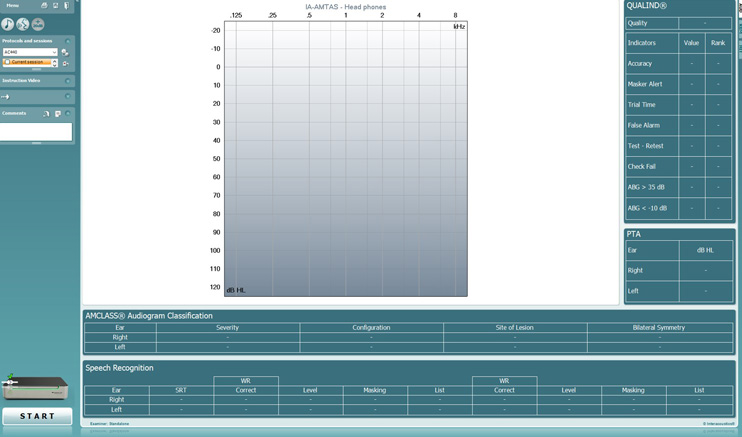
Displays an audiogram with dB HL as a function of kHz, alongside data charts for quality indicators, pure tone average, audiogram classification, and speech recognition.
Figure 1: IA-AMTAS results screen.

As no data exists, you will not see anything in the graphs shown on the screen. If you have previous IA-AMTAS sessions, then you will be able to view them along with their quality indicator results here.

Click 'Start' to begin the test, which will bring you into a new screen as shown below.
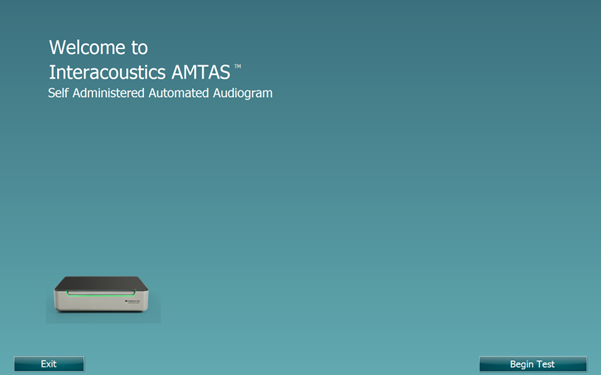
Figure 2: Welcome screen.

Press on the 'Begin Test' button to proceed, which will bring you into a new screen as shown below.
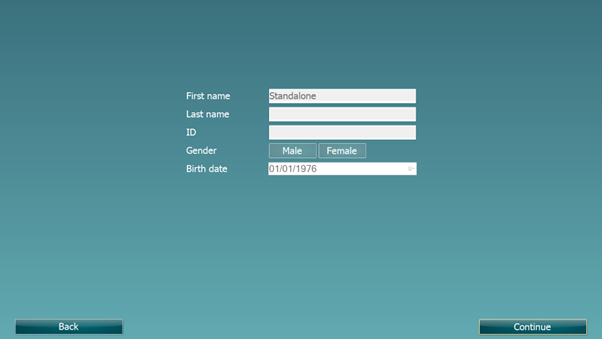
Free input fields for first name, last name, ID, and birth date. Gender can either be male or female.
Figure 3: Patient details.

In this screen, you will be shown the patient's details. These are locked in circumstances when the data is pulled from your database.

Click to continue. Here you will be shown an instruction video (unless an alternative method of instruction has been configured in your IA-AMTAS setup). Under the video is a volume slider to increase or decrease the volume of the instructions.
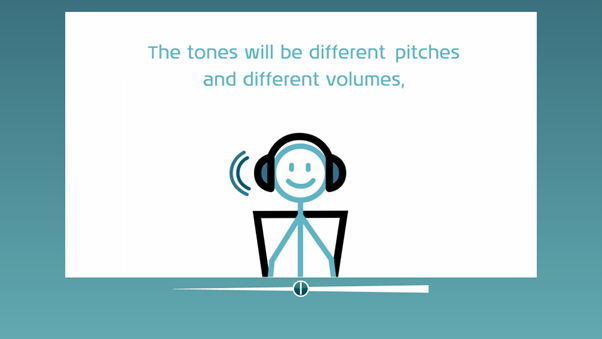
Figure 4: Instruction video with volume slider.

Once the video is completed, the test will begin.

While wearing the transducer of choice, the patient responds via mouse or touch screen via the screen below.

Masking will be automatically applied depending on the status of the test. The patient is advised to ignore this when testing.

Throughout all the IA-AMTAS test, the process can be stopped by clicking on the cross in the top right corner.
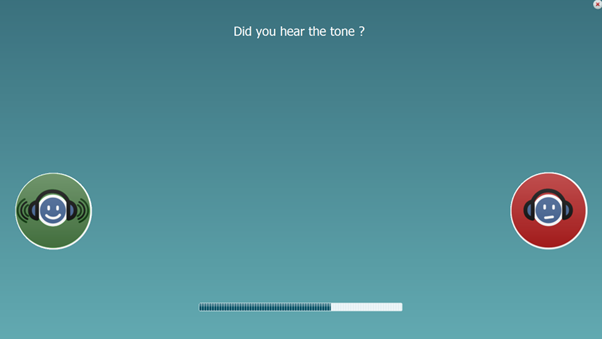
A question at the top which reads did you hear the tone? The patient can click a green button to the left to respond yes or click a red button to the right to respond no. A progress bar is located at the bottom of the screen.
Figure 5: Patient test screen.

There is a progress bar shown at the bottom of the screen to indicate to the patient how far they are with their test.

Once completed, the test will swap to a speech test to acquire the Word Recognition and Speech Recognition Threshold (if you have configured your system to include this). A video is shown to explain how this test proceeds and how to respond.
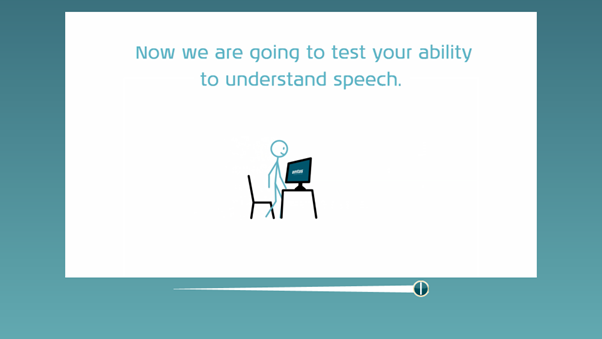
Figure 6: Speech test video.

Once the video has finished, the test will continue.

The screens below will show during testing, both to indicate the response options and the status of the test.
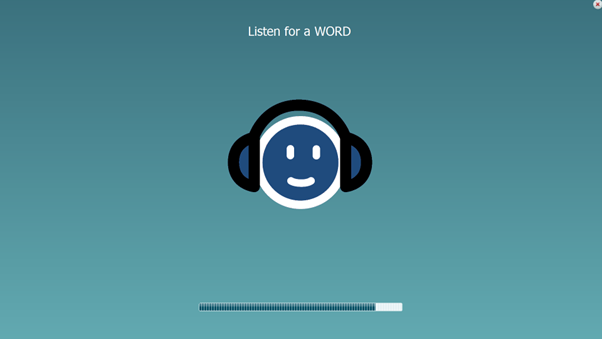
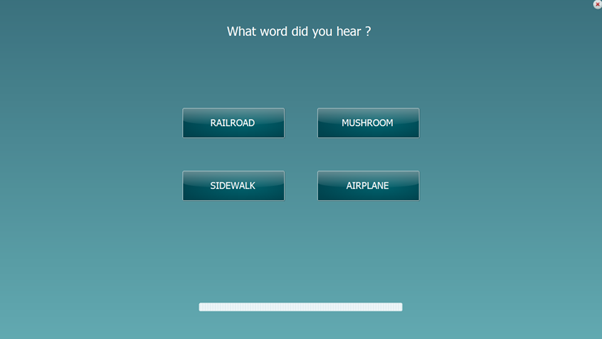
Figure 7: Speech test screen instructing the patient to listen for a word.

Figure 8: Followed by screen with options to select which word the patient heard.

For more information, please visit the Equinox Evo Additional Information document.

Presenter

Interacoustics

Available Training

Equinox Evo: How to set up the assistant monitor

Learn how to set up the assistant monitor functionality using the Equinox Suite software with the Equinox Evo clinical audiometer.

Interacoustics2026-10-02

Equinox Suite: How to use the VRA feature

Learn how to use the visual reinforcement audiometry (VRA) feature in the Equinox Suite software with the Equinox Evo clinical audiometer.

Interacoustics2026-10-02

Equinox Suite: How to set up your VRA

Learn how to set up your visual reinforcement audiometry (VRA) using the Equinox Suite software with the Equinox Evo clinical audiometer.

Interacoustics2026-10-02

How to perform the Weber test with Equinox Evo

Click here to learn how to perform the Weber test with the Equinox Evo clinical audiometer.

Interacoustics2026-10-02

How to perform the tone decay test with Equinox Evo

Click here to learn how to perform the tone decay test with the Equinox Evo clinical audiometer.

Interacoustics2026-10-02

How to use VRA ticksheets and conditioning with Equinox Evo

Click here to learn how to use VRA ticksheets and conditioning with the Equinox Evo clinical audiometer.

Interacoustics2026-10-02

How to perform the TEN test with Equinox Evo

Click here to learn how to perform the TEN test with the Equinox Evo clinical audiometer.

Interacoustics2026-10-02

How to perform the Stenger test with Equinox Evo

Click here to learn how to perform the Stenger test with the Equinox Evo clinical audiometer.

Interacoustics2026-10-02

How to perform the Short Increment Sensitivity Index (SISI) test with Equinox Evo

Click here to learn how to perform the short increment sensitivity index (SISI) test with the Equinox Evo clinical audiometer.

Interacoustics2026-10-02

How to perform the Speech in Quiet (SIQ) test with Equinox Evo

Click here to learn how to perform the speech in quiet (SIQ) test with the Equinox Evo clinical audiometer.

Interacoustics2026-10-02

How to perform the Speech in Noise (SIN) test with Equinox Evo

Click here to learn how to perform the speech in noise (SIN) test with the Equinox Evo clinical audiometer.

Interacoustics2026-10-02

How to perform QuickSIN with Equinox Evo

Click here to learn how to perform the QuickSIN test with the Equinox Evo clinical audiometer.

Interacoustics2026-10-02

How to use quality assurance indicators with Equinox Evo

Click here to learn how to use quality assurance indicators with the Equinox Evo clinical audiometer.

Interacoustics2026-10-02

How to perform pure tone audiometry with Equinox Evo

Click here to learn how to perform pure tone audiometry with the Equinox Evo clinical audiometer.

Interacoustics2026-10-02

How to use pediatric noise with Equinox Evo

Learn how to use the pediatric noise stimulus with the Equinox Evo clinical audiometer.

Interacoustics2026-10-02

How to perform Masking Level Difference (MLD) with Equinox Evo

Learn how to perform the masking level difference (MLD) test with the Equinox Evo clinical audiometer.

Interacoustics2026-10-02

Looking for clinical training?

Are you looking for more advanced and clinical training?