
VDB-Express Test
What is the VDB-Express test?
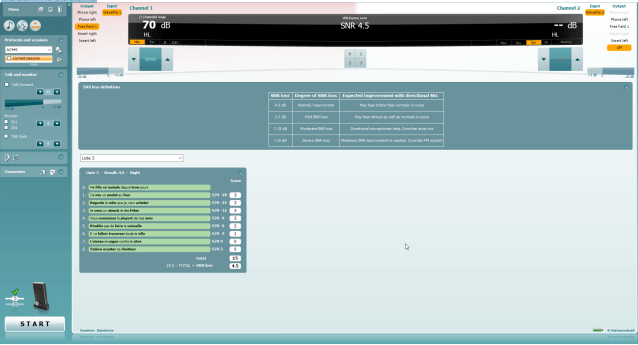
Difficulty with hearing in background noise is a common complaint among hearing aid users. Therefore, the measurement of SNR loss (signal-to-noise ratio loss) is important because a person's ability to understand speech in noise cannot be reliably predicted from the pure tone audiogram. The VDB-Express test was developed to provide a quick estimate of SNR loss for French listeners. A list of nine sentences with three key words per sentence is presented in speech babble noise. The sentences are presented at pre-recorded signal-to-noise ratios (SNR) which decrease in 3-dB steps from -18 dB (very easy) to 3 dB (extremely difficult). The SNRs used are: -18, -15, -12, -9, -6, -3, 0 and 3 dB, encompassing normal to severely impaired performance in noise.
Required equipment
- The CallistoTM hardware
- Licensed AC440 Audiometry module within your CallistoTM hardware
- VDB-Express License in your CallistoTM hardware
- Calibrated Headphones, insert phones or Free-Field Speaker
Test procedure
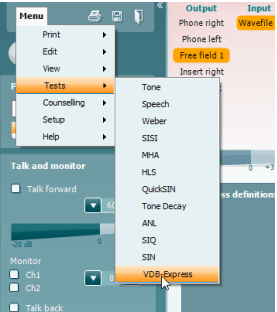
- Open the AC440 and enter the VDB-Express screen by selecting Menu | Tests | VDB-Express.
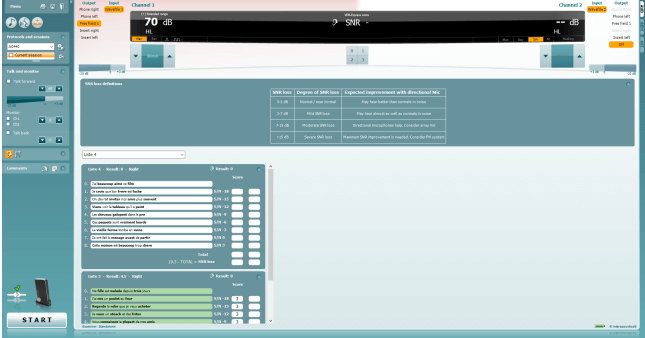
- Select the output level. The channels are synchronised for this material to ensure that the correct SNR level is achieved.
- Select a list in the corresponding dropdown. e.g. "Liste 2".
- Instruct the patient to repeat the sentences and try to ignore the noise that they will also hear
through the headphones. - Press START to begin the test.
- The first sentence is always a practice sentence and its score will not contribute to the final result
calculation. - The number of words in bold the patient repeats correctly should be scored by clicking on the score
buttons. Scoring is disabled until the sentence has been played completely. - When 9 sentences are scored a total score will be calculated.
Note that if you press Stop before the 9 sentences of the list have been played and scored, no total
score will be calculated. - The total score can be compared to the "SNR loss definitions".
- Save the VDB-Express test by clicking Save

How to activate aided VDB-Express
- Ensure you are in the VDB-Express screen.
- Select Free Field as the Transducer; this will activate the "Aided" function.
- Click on the Aided button; this will add an extra column on to the VDB-Express scoring table
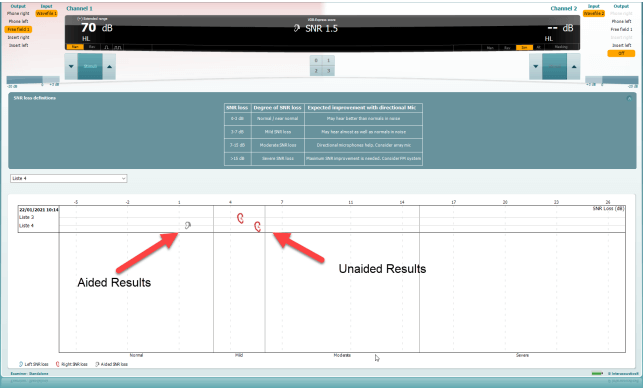
Comparing Aided and Unaided VDB-Express scores over time
Clinicians are now able to compare the Unaided and Aided SNR scores.
To view the scores in a graph view, click on the graph icon 
Presenter